Read large logs
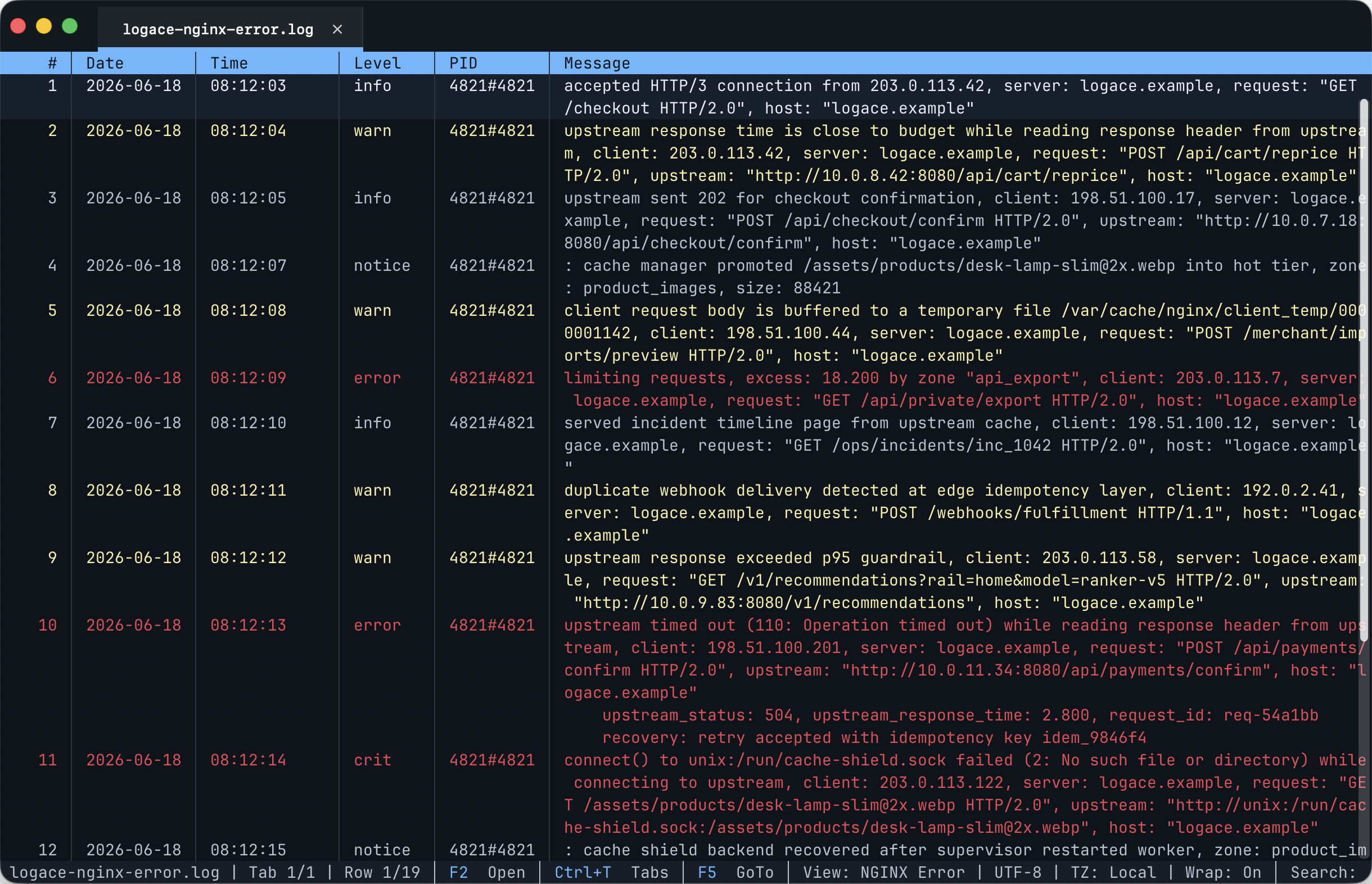
Open large log files and jump to a specific time or row. Long messages and stack traces can wrap or expand so you can read the full entry.
Viewer controlsStructured columns, precise filters, live sources and saved state. In your terminal or in the macOS app.
macOS · Linux · Windows
Per-column include and exclude filters, full-text search and regex. Expression filters add typed comparisons, time ranges and conditions across fields.
Filter referenceGrouped counts, summaries, projections and exports. Queries can use a snapshot or stay live when supported by the source and query.
Query referenceStatus >= 500 &&
Contains(Message, "timeout")Rows()
.GroupBy(r => r.Col("Status"))
.Select(g => new {
Status = g.Key,
Count = g.Count()
})Open large log files and jump to a specific time or row. Long messages and stack traces can wrap or expand so you can read the full entry.
Viewer controlsRead timestamps, log levels and messages in separate columns. Choose a common log format or define your own. Add useful details, such as a country from an IP address or the browser used for a request.
Supported log formatsReopen a log where you left off, with your bookmarks and column layout restored. Save a group of logs as a session to reopen them together, or find recently opened logs in your history.
Bookmarks and sessionsView logs from multiple sources in a single timeline, ordered by time. Each entry shows which log it came from. Export filtered results as text, CSV or JSON Lines.
How to merge and exportOpen log files or follow new entries as they arrive. LogAce can reconnect to supported live sources when the connection is interrupted.
Some sources require additional setup or are only available on certain operating systems.
Supported sources and setupUse keyboard shortcuts to search, filter, switch tabs and add bookmarks. Select rows and open menus with the mouse when that is more convenient.
Keyboard shortcuts and menusOpen log files from Finder in a separate app window, with the same viewer and shortcuts as the terminal version. Install the optional logace command from the app to send files and command output to its open window.
Version 0.3.6 · Checksums
Desktop app · DMG
Apple Silicon DMG Intel DMGOpen the DMG, drag LogAce.app to Applications, then launch it from Finder or the Dock.
For terminal access, choose LogAce → Install Command Line Tool… in the app.
Terminal app · tar.gz, deb, rpm
Portable x64For the portable x64 archive:
tar -xzf logace-portable-0.3.6-linux-x64.tar.gz
cd logace-portable-linux-x64
./LogAce /path/to/file.log
For package builds, install the downloaded file with sudo apt install ./package.deb or sudo rpm -i ./package.rpm.
Terminal app · ZIP
Windows x64 ZIP Run from PowerShell or a terminal.Extract the archive, then run the viewer from PowerShell:
Expand-Archive .\logace-cli-win-x64.zip .
cd .\logace-cli-win-x64
.\LogAce.exe C:\logs\app.log